What it does
Regularity rally timing for the whole crew
Crono107 is a phone app for regularity rallies: training before the event, the timed and average-speed trials on the day, and every run kept for after. It opens in the browser on iPhone and Android, and adds to the home screen.

Train
Regularity training, with real road sensors
A crew that has practised hitting the line arrives calmer. Train the way the event times you, and see every pass.
- Practise with real road sensors. Lay Timing107 pressure tubes on a quiet road. Every pass is timed by the tube and shows on the phone as it happens, for the driver and the navigator, with a summary at the end.
- Or with the phone alone. Phone-only training loops, and a private practice copy of an event’s timed trials. Practice runs never count toward the event.
- Every pass kept. How far off the driver was, how far off the navigator’s tap was, and how both compare with the tube.
The Timing107 training kit itself is coming soon.
Training, pass after pass
A countdown with beeps to the tube, then each pass lands in the Last pass card: driver and navigator, early or late.
Illustration

Approach
It’s all in the approach
Hitting the tube on time starts metres before it. Training is where a crew makes the approach the same every time.
- Repeat until it’s automatic. Training runs in loops of one to three timed intervals, round after round, so the crew repeats the same approach as often as it takes.
- Set your approach speed. Pick the speed you want to cross the tube at. Every crossing records your approach speed, and My Runs shows it next to your target.
- Don’t fare il cavallo. Accelerate in the last 10 to 15 metres and the nose lifts: the tube can catch the rear wheels instead of the front and cost 35 to 40 hundredths. With a RaceBox, Crono107 also records braking and late acceleration on every approach.
- Then look at the numbers. After the session, the training summary and My Runs show where each pass went: early or late, driver or navigator, and how fast you came in.
Race
Event day: timed trials and average-speed trials
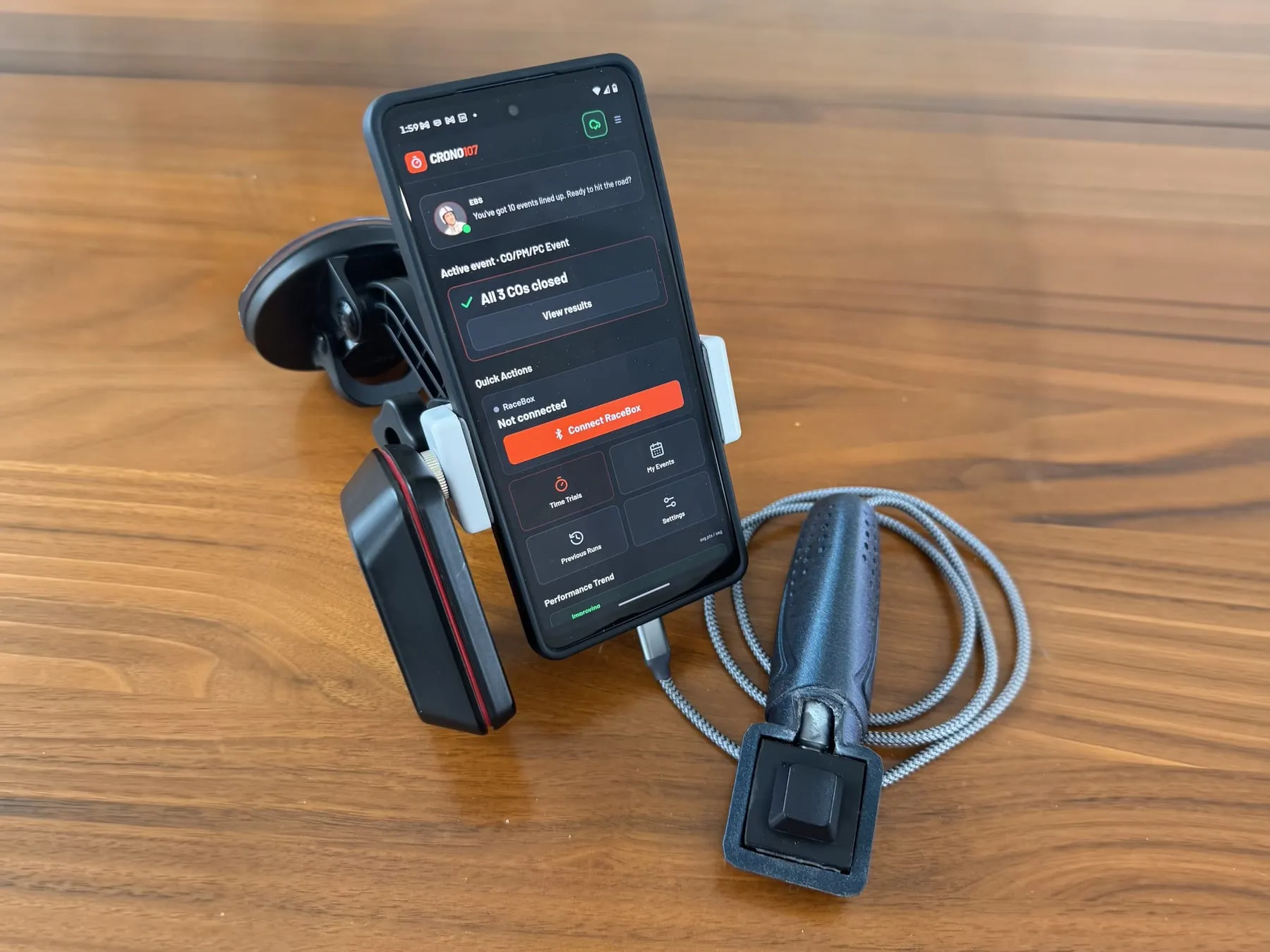
The phone rides on the dash and keeps the navigator on time, from the first control to the last. Distance comes from the phone's GPS, or from a RaceBox receiver if you have one.

The day as one road.
Each control route in order: transits, average-speed trials and timed trials, with the trip meters and the time to the next control on one screen.
Timed trials (PC), to the hundredth.
Countdown beeps, 5, 4, 3, 2, 1, so the driver can cross the tube on the beat. Every tap is timed to the hundredth of a second.
Average-speed trials (PM).
How many seconds early or late you are, all the way through the trial, from the distance you have actually driven.
Hands on the remote.
The navigator taps with a handheld remote, wired or Bluetooth, so eyes stay on the road and the roadbook.
No signal? Keep going.
Your events download to the phone. Runs keep timing in the mountains and save themselves when the signal comes back.
Kilometres or miles.
Each crew picks its unit. The screen stays awake for the whole run.

The control route
Trip meters, the next trial and the arrival time at the next control.
Illustration
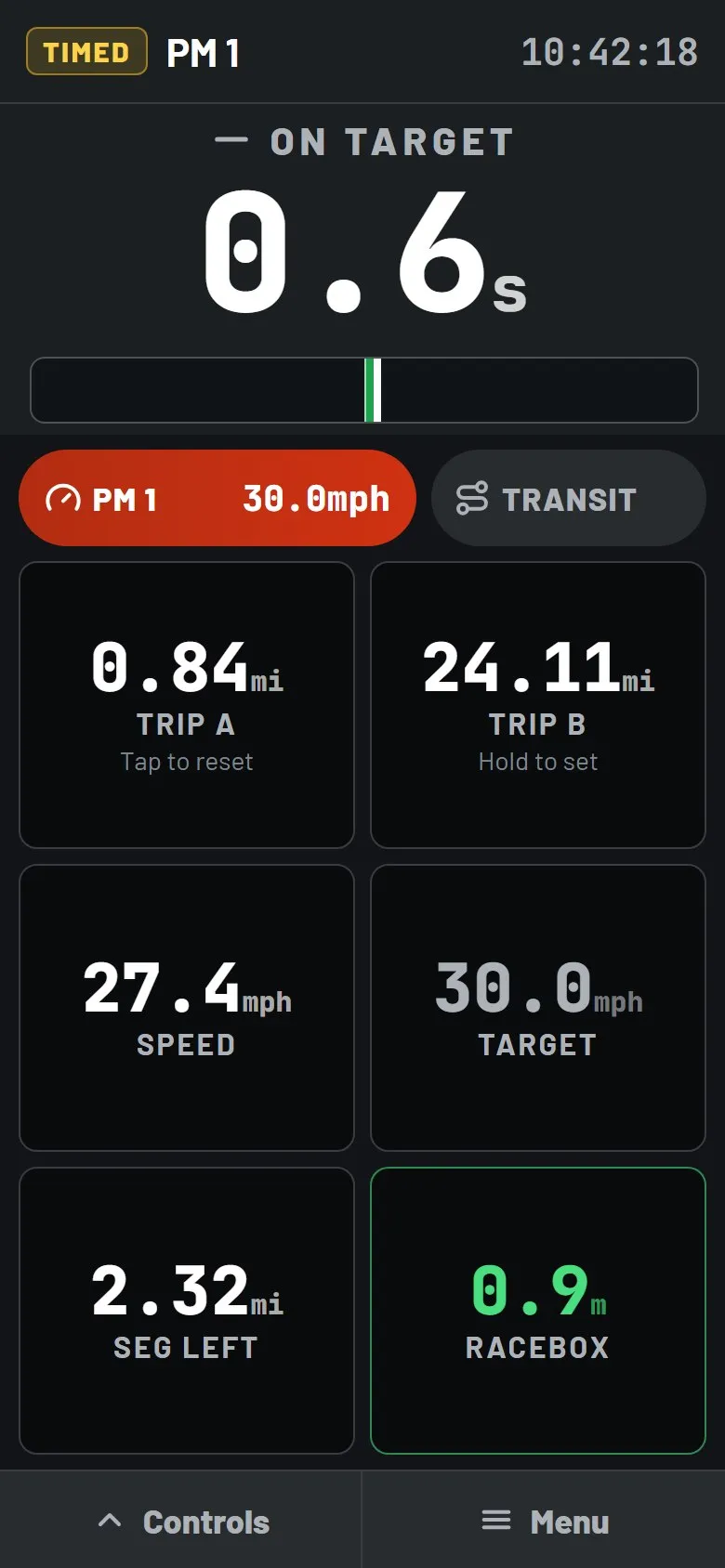
Average-speed trial
On target, or how many seconds early or late.
Illustration
Analyse
Every run kept, next to the official times
The classification tells you where you finished. Your runs tell you why, trial by trial, so the next practice goes where the points were lost.
- Every run kept. Training and events, trial by trial, with the points for each one.
- Your taps next to the official times. Timing107 training fills them in for you. After an event, add the official times from the results to see the difference.
- Driver and navigator, apart. See how much of each penalty came from the driving and how much from the navigator’s taps.
- The trend over the season. Average points per crossing, month by month, marked improving or getting worse.
- Your place in the standings. For events timed by FICR, the overall standings and your crew’s place in them, in the app.
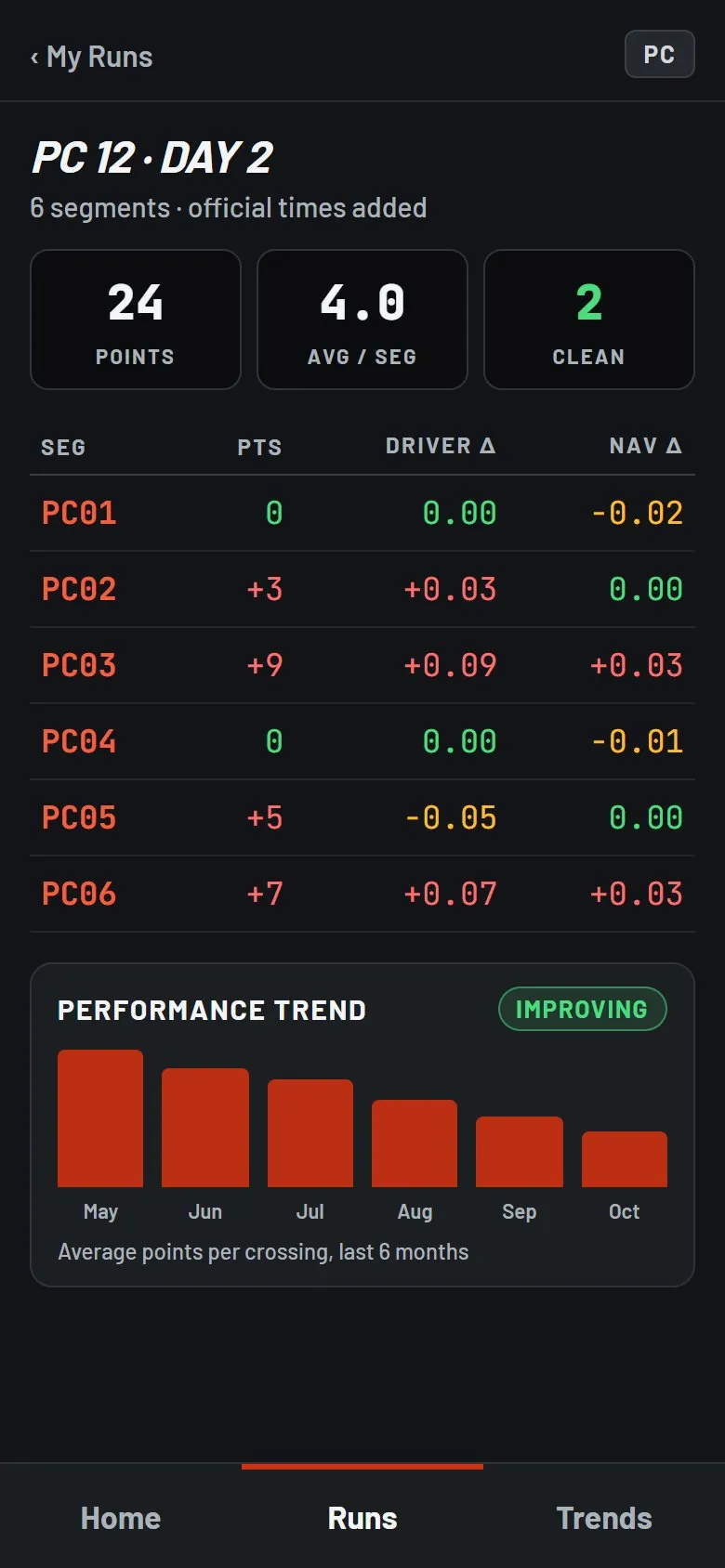
After the event
Points per trial, the driver's and the navigator's share, and the trend.
Illustration
Works with
Your phone, plus two optional extras
Nothing to install in the car. The phone does the timing; these make it easier.
- A handheld remote
- Any remote or joystick that sends a key press, on a cable or over Bluetooth. The navigator taps without reaching for the screen.
- A RaceBox GPS receiver
- The Mini, Mini S or Micro: distance and speed from a 25 Hz receiver, with precision down to 20 cm. It connects from Chrome on Android today; if it drops out during a run, the phone’s GPS takes over by itself.
- Any recent phone
- iPhone or Android, in the browser. No store download.
Illustrations based on the Crono107 app's screen designs.